Features of bbPress New User Approve
bbPress New User Approve is a simple & quick & light bbPress plugin: when users register as members, they need awaiting administrator approve their account manually, at the same time when unapproved users try to login your site, they can not login your site and they will get a message that noticed they have to waiting for admin approve their access first, it looks like this:
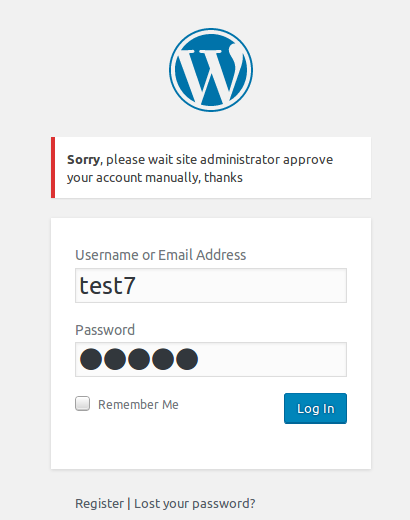
bbpress new user wait admin approval
After installed bbPress approve user plugin, all registered users need approved by site administrator manually, but Super administrator (user ID = 1) and users who have admin user role will never be settings as unapproved user, they can always login your site.
After installed bbPress approve user plugin, you will find a new sub menu item — “Approve User”, in the “bbPress New User Approve Setting” panel, you can approve all existed users as approved users by one click
Also admin can approve or unapprove any users at anytime, admin can find users approved status at wordpress standard users list page, it looks like this:
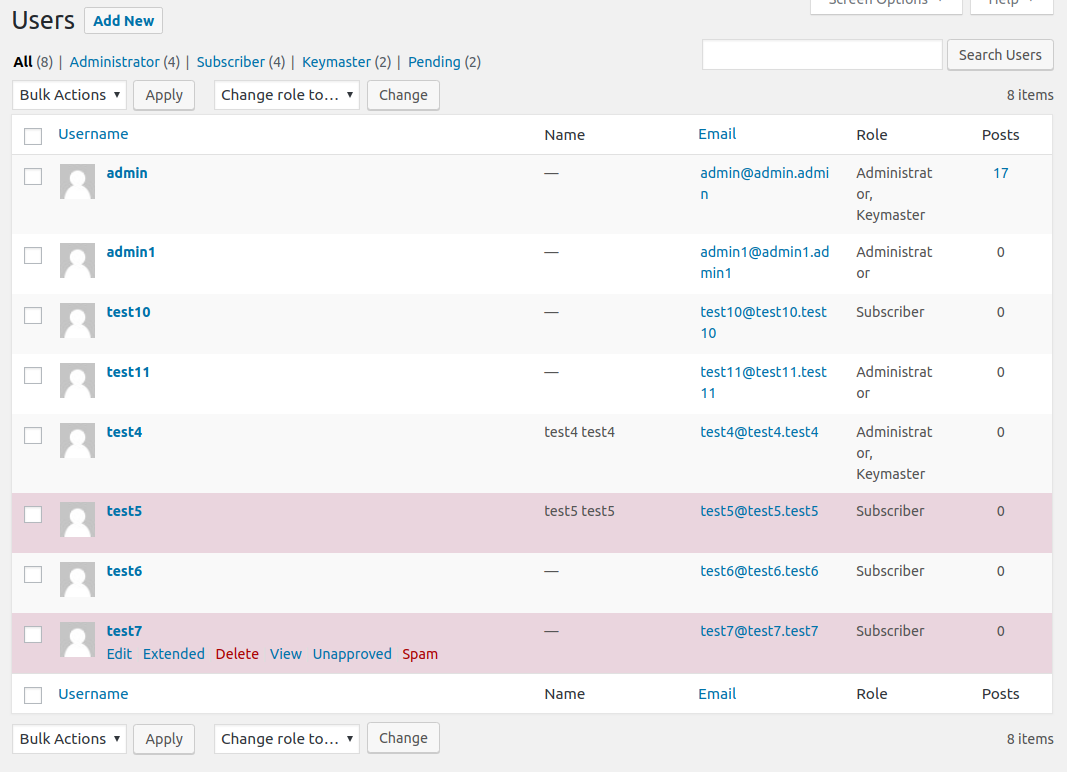
new bbpress user approved by admin manually
Unapproved users will be mark as red background, also If you move your mouse on users name at users list page, you will find Approve and Unapprove links, just click links, you will be redirect edit user panel, at the bottom of the edit user panel, you will find Approve User option, and you can approve or unapprove that user manually:
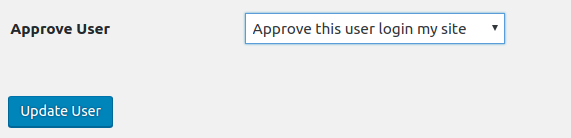
Approve bbPress new user panel
== Installation ==
1:Upload the bbPress New User Approve plugin to your blog
2:Activate it
3: You can approve or approve users in user lists page — http://yourdomain.com/wp-admin/users.php
== Changelog ==
= Version 1.1.0 =
= Version 1.0.0 =
bbPress New User Approve Published
More amazing features is be developing, also there are many feature in To-Do lists, if you hope more features of bbpress plugin, contact us and any feature request is welcome. ?
Just $5, you will have a powerful bbPress New User Approve plugin, Unlimited Download, Lifetime Upgrades, Ticket Support